Patterns, not anecdotes.
Plus the five users to interview next.
Real navigation flows, drop-off patterns, and the silent users showing surprising behavior — each with a conversation hook to sharpen your next interview. Aggregated evidence for the design work, plus the user research questions you'd never think to ask.
You're designing based on assumptions.
User interviews are valuable but small. Session replays are slow. You need patterns.
Tiny sample sizes
You run 1-2 user interviews a month. They're insightful but anecdotal. You need to know if that one user's frustration is a pattern or an edge case.
Session replay fatigue
Watching 20 session recordings before a redesign tells you stories, not patterns. You need aggregated behavior — which flows do users actually take? Where do they bail?
You interview the same ten people
The silent user with the most surprising behavior never gets on the call list. The loud champion gets interviewed again. Without knowing who's doing something unexpected, your research pool is self-selecting.
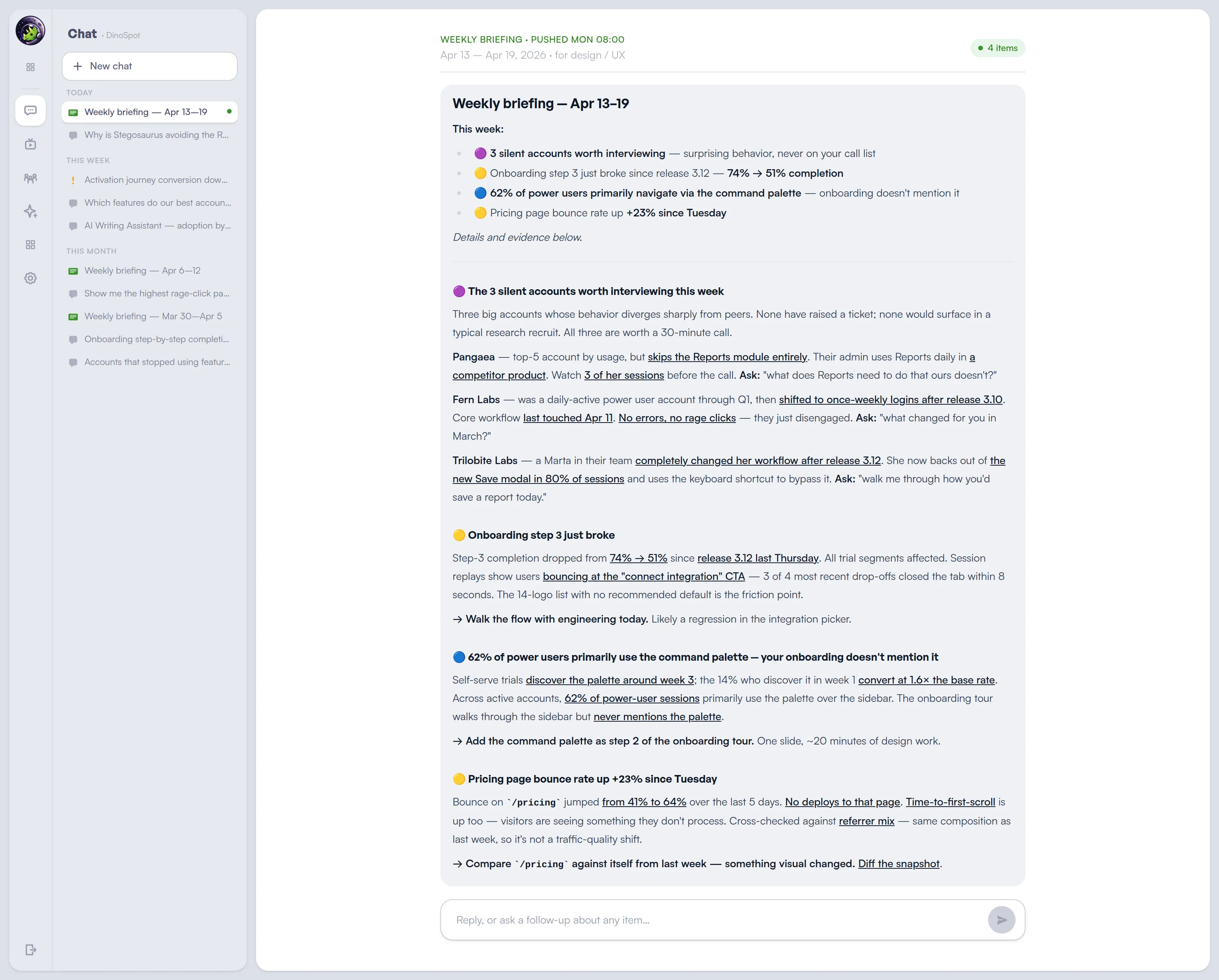
The Monday briefing for design / UX
The silent users worth interviewing this week, the friction patterns worth fixing, and the navigation surprises worth designing for — each with replay evidence and a specific next step.
See what users actually do
Aggregated usage patterns you can act on. No queries, no waiting.
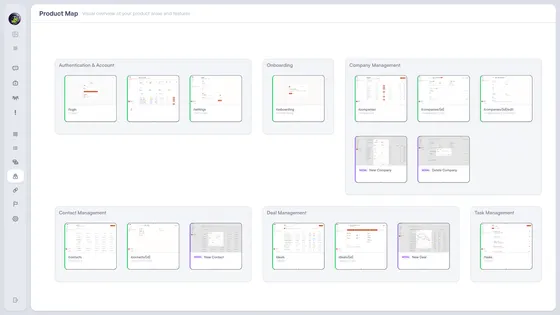
Real user flows, not intended ones
The product graph shows how users actually navigate your app — not the flow you designed, but the paths they take in practice. See where they skip steps, go backwards, or find alternative routes you didn't plan for.
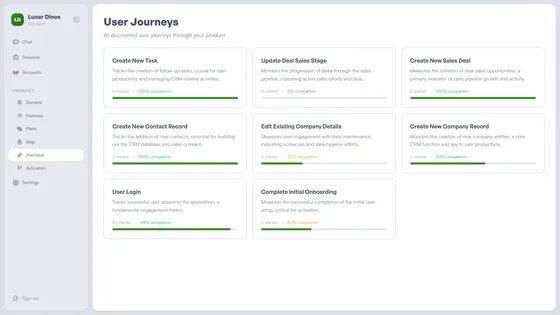
Journeys with drop-off points
Every key flow mapped with completion rates — discovered automatically. See exactly where users abandon onboarding, skip setup steps, or get stuck. Patterns, not anecdotes.
The five users to interview this week
The most valuable research comes from user conversations. Lunar Dinos names the users whose behavior is surprising — big account skipping your main module, power user who abandoned a flow mid-redesign, silent champion whose activity pattern just changed — each with a conversation hook, so your next interview is surgical.
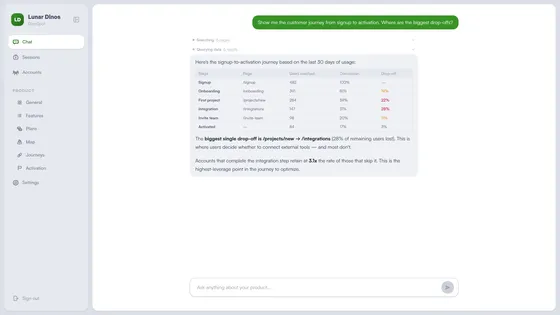
What lands in your Monday inbox
Patterns for the roadmap. Specific users and questions for your next interview round.
Friction pattern
"40% of trials abandon the project-setup wizard at the 'invite team' step. Single biggest leak in activation this quarter."
→ Prototype a skip-invite variant for next sprint.
Interview hook
"Fern Labs is a top-5 account but has never opened the Reports module. Their admin uses it daily in a competitor tool."
→ Interview the admin. Ask why no reports in our product.
Flow reality check
"62% of users skip the sidebar and use the command palette as their primary nav. The onboarding tour doesn't mention it."
→ Add the palette to the onboarding tour.
Behavior shift
"Power user Marta at Trilobite Labs changed her workflow after release 3.12 — now backs out of the new modal in 80% of sessions."
→ Watch 2 of her sessions. Then call her.
Frequently asked questions
How is Lunar Dinos different from Fullstory or Hotjar?
Session replay tools show individual sessions — you watch recordings to find patterns. Lunar Dinos surfaces aggregated behavior patterns — real navigation flows, drop-off points, surprising users — and links sessions as evidence. The pattern comes first; the replay confirms it.
Can I export flow or drop-off data?
Yes. Flow and journey data, including completion rates and drop-off points, is available via CSV export for handoff to research decks or roadmap docs.
Does Lunar Dinos work for mobile apps?
Web first today. A mobile SDK is on the roadmap.
How much traffic do I need before patterns are useful?
A few hundred weekly sessions is enough to surface clear flow and drop-off patterns. The more traffic, the tighter the patterns and the more specific the interview hooks.
Does Lunar Dinos replace session replay?
No. Session replay is included and works as evidence behind AI-surfaced patterns. If replay is your core discovery workflow rather than a confirmation tool, Fullstory is the stronger fit.
Design with evidence, not assumptions.
Aggregated behavior patterns for the roadmap, plus the specific users worth interviewing this week — with the question worth asking.
Read more: Your Product Data Has Answers